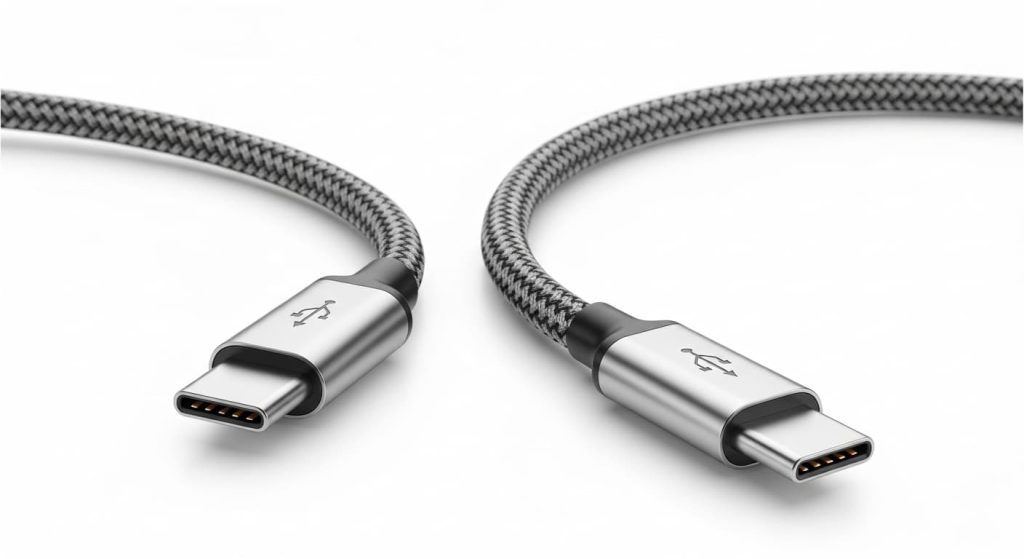
USB-C vs Lightning Cable: Which Is Better in 2026?

📌 Quick Summary: The USB-C vs Lightning debate has a clear winner in 2026—and it’s USB-C by a landslide. Apple’s proprietary Lightning connector, introduced in 2012, has finally reached the end of its road. With the iPhone 15 series fully transitioned to USB-C and the EU’s common charger mandate now in full effect, Lightning is officially a legacy standard. This comprehensive comparison breaks down the real-world differences that matter to you: charging speed (240W vs 30W), data transfer (up to 80Gbps vs 480Mbps), video output, durability, and future-proofing. We explain why USB-C isn’t just different—it’s objectively better in nearly every technical category. More importantly, we provide practical guidance for users still holding onto Lightning devices, including transition strategies, adapter recommendations, and how to choose quality USB-C cables that won’t let you down. Whether you’re fully invested in the Apple ecosystem or a multi-device user, this guide helps you navigate the great cable transition of 2026.
The cable you reach for every day determines how fast your phone charges, how quickly files transfer, and whether your accessories work at all [citation:1]. For over a decade, iPhone users have automatically reached for Lightning cables without a second thought. But in 2026, that familiar reflex needs an update.
The USB-C vs Lightning battle has reached its final chapter. With the iPhone 15 series marking Apple’s global transition to USB-C and the European Union’s common charger mandate now fully enforced, Lightning has officially become a legacy connector [citation:2][citation:4]. Yet millions of Lightning cables remain in drawers, cars, and offices worldwide—and millions of users still own older iPhones, AirPods, and accessories that depend on them.
This guide settles the debate once and for all. We’ll compare both connectors across every metric that matters in daily use:
- Charging speed and power delivery: The 240W capability of USB-C vs Lightning’s 30W ceiling
- Data transfer: Why copying 4K video takes 4 minutes instead of an hour
- Durability and build quality: Which connector actually lasts longer
- Audio and video output: Native 8K support vs dongle-dependent 1080p
- Future-proofing: What the phase-out means for your wallet
Let’s cut through the nostalgia and look at the facts—so you can make the right choice for your devices today and tomorrow.
Understanding the Contenders: USB-C vs Lightning
Before diving into the comparison, it’s worth understanding what each connector actually is—and why they’ve coexisted for so long.
What is USB-C?
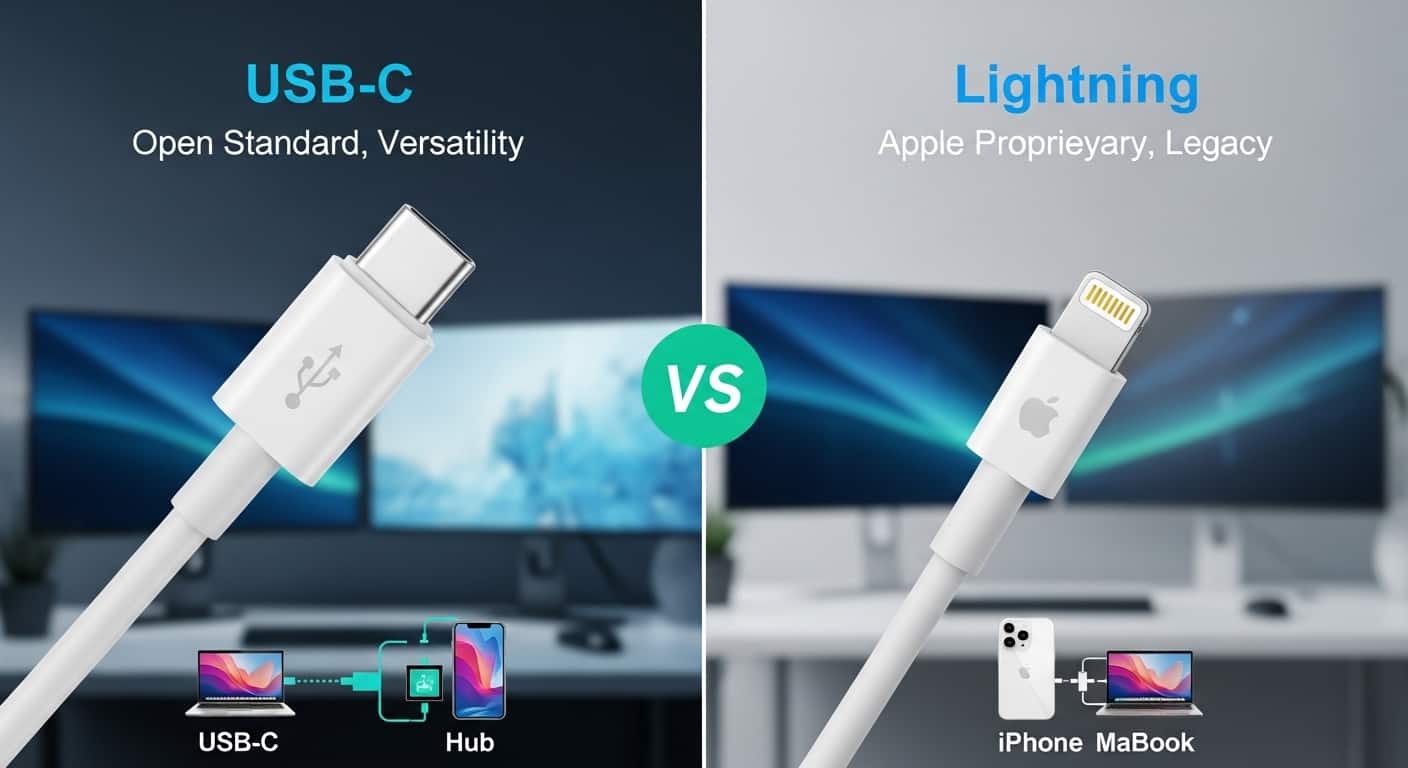
USB-C is a small, oval-shaped connector introduced in 2014. It’s fully reversible (no wrong way to plug it in) and supports an astonishing range of capabilities through a single port [citation:1]. In 2026, USB-C handles:
- Power delivery up to 240 watts (enough to charge gaming laptops)
- Data transfer up to 80 gigabits per second with USB4 v2.0
- Native video output for 8K displays at 60Hz
- High-resolution audio up to 32-bit 384kHz
Today, every Android phone, most Windows laptops, iPad Pro, iPad Air, MacBooks, and the iPhone 15 series all use USB-C [citation:1][citation:4]. It’s the closest thing we have to a truly universal connector.
What is Lightning?
Apple’s Lightning connector debuted in 2012 alongside the iPhone 5. At the time, it was revolutionary—smaller than the 30-pin connector it replaced, reversible, and durable [citation:1]. For over a decade, every iPhone (through the iPhone 14), plus AirPods, Magic Mouse, Magic Keyboard, and early AirPods Max models, relied on Lightning [citation:1].
But Lightning was designed in an era when 30W charging seemed excessive and 480Mbps data transfer was perfectly adequate. Those limits have become severe bottlenecks in 2026 [citation:1][citation:3].
📚 Key Concept: Connector vs Protocol
A common source of confusion: USB-C is a connector shape, not a protocol. This means not all USB-C cables are equal—some only support USB 2.0 speeds (480Mbps) while others handle 40Gbps Thunderbolt [citation:7]. Lightning, by contrast, is both a connector and a tightly controlled ecosystem where Apple dictates exactly what the cable can do. This makes Lightning simpler but far less flexible [citation:7].
Head-to-Head Comparison: The Numbers That Matter
Let’s put both connectors side by side. The differences aren’t subtle—they’re transformative for how you use your devices daily.
| Feature | Lightning | USB-C (2026) | Winner |
|---|---|---|---|
| Year introduced | 2012 | 2014 | USB-C (newer) |
| Max charging power | 30W | 240W (USB PD 3.1 EPR) | ✅ USB-C (8x more) |
| Max data speed | 480 Mbps (USB 2.0) | 80 Gbps (USB4 v2.0) | ✅ USB-C (166x faster) |
| Video output | None native (requires adapter, 1080p max) | Native 8K @ 60Hz via DisplayPort Alt Mode | ✅ USB-C |
| Audio support | 24-bit 48kHz (requires DAC in cable) | 32-bit 384kHz native analog/digital | ✅ USB-C |
| Rated plug cycles | ~1,500 insertions | 10,000+ insertions | ✅ USB-C (6x longer) |
| Device compatibility | Apple devices only | Universal (phones, laptops, tablets, cameras, etc.) | ✅ USB-C |
| Regulatory future | Phase-out (EU mandate) | Mandated standard | ✅ USB-C |
Sources: [citation:1][citation:3][citation:6]
The table tells an unambiguous story: USB-C outperforms Lightning in every technical category. But let’s explore what these numbers actually mean for your daily life.
Real-World Impact: What These Differences Mean For You
Charging Speed: From Hours to Minutes
The 30W ceiling on Lightning means iPhones have always charged relatively slowly. An iPhone 14 Pro takes about 110 minutes for a full charge [citation:1]. With USB-C on the iPhone 15 Pro, that drops to roughly 75 minutes—a 30% improvement [citation:1].
But the gap widens dramatically with larger devices. A single USB-C cable can charge your phone, tablet, and laptop. The same 100W cable that trickle-charges your AirPods at 5W can also power a 16-inch MacBook Pro at full speed [citation:3][citation:4]. Lightning simply cannot charge anything larger than an iPad mini effectively.
⚡ Real-world example: Transferring 200GB of 4K video from an iPhone 14 Pro (Lightning) to a Mac takes nearly one hour. The same transfer from an iPhone 15 Pro (USB-C with USB 3.2 Gen 2) takes about four minutes [citation:1][citation:6]. That’s not an incremental improvement—it’s a workflow revolution.
Durability: The Hidden Cost of Lightning
Cable breakage is frustrating, expensive, and creates e-waste. Here, the engineering differences matter immensely [citation:8].
- Lightning connectors place fragile components in the cable—exposed gold pins that can corrode, and small locking tabs that break. The phone’s port is mostly hollow, which means pocket lint collects inside, causing loose connections [citation:1].
- USB-C connectors move the fragile spring tabs into the cable, while the port in your device is a solid metal block [citation:1]. If the tabs wear out, you replace a £9 cable—not a £799 phone. Lab tests show that after 15,000 plug cycles, about 12% of Lightning ports fail, while over 95% of USB-C ports remain fully functional [citation:1][citation:6].
USB-C cables also benefit from better materials. Premium USB-C cables commonly use braided nylon exteriors and reinforced strain relief, while standard Lightning cables use TPE rubber that degrades and frays within 6-12 months [citation:8].
Video and Audio: The Dongle Nightmare Ends
Lightning has no native video output. To connect an iPhone to a TV or monitor, you need a £49 Lightning-to-HDMI adapter that maxes out at 1080p [citation:1][citation:6].
USB-C, through Alternate Mode, can output native DisplayPort, HDMI, or Thunderbolt signals. A single USB-C cable connects your phone or laptop to an 8K monitor at 60Hz, or dual 4K displays at 120Hz [citation:1][citation:3]. For audio, USB-C adapters deliver 32-bit 384kHz quality for under £20, while Lightning solutions often require expensive external boxes to exceed 24-bit 48kHz [citation:1].
The Elephant in the Room: Why Apple Switched
For years, Apple defended Lightning as a superior connector. So why the global switch to USB-C?
The EU Common Charger Mandate
The most immediate catalyst was legislation. In October 2022, the European Union passed a law requiring all smartphones, tablets, and cameras sold in the EU to use USB-C by December 2024 [citation:2][citation:4]. The goal: reduce electronic waste and improve consumer convenience. The European Commission estimates the rule will save consumers €250 million annually and eliminate over 1,000 tons of e-waste per year [citation:4].
Rather than manufacture two different iPhone versions (one for Europe, one for everywhere else), Apple globally transitioned the iPhone 15 series to USB-C [citation:1][citation:2].
Beyond Regulation: Technical Necessity
But regulation alone doesn’t explain the shift. The technical gap had become unbridgeable. As iPhones gained ProRes video recording, 48MP photos, and professional workflows, Lightning’s 480Mbps data bottleneck became untenable [citation:1]. Pro users couldn’t wait an hour to offload footage. Similarly, as iPad Pros and MacBooks fully embraced Thunderbolt speeds and external display support, maintaining Lightning on iPhones created a frustrating two-cable ecosystem [citation:3][citation:4].
⚠️ Important Note: Apple’s MFi (Made for iPhone) licensing program generated significant revenue from Lightning accessories. Transitioning to USB-C meant relinquishing that control [citation:4]. That Apple made the switch anyway tells you how compelling the technical and regulatory arguments had become.
The Case for Lightning: Is There Any Reason to Stick With It?
Given the overwhelming technical superiority of USB-C, are there any scenarios where Lightning remains the better choice? A few edge cases exist:
When Lightning Still Makes Sense
- You own multiple older Apple devices: If you’re still using an iPhone 14 or earlier, plus Lightning-based AirPods and a Magic Mouse, replacing everything at once is expensive. In this case, sticking with Lightning cables for now is practical [citation:1].
- You’re deeply invested in Lightning-specific accessories: Some high-end docks, car integration systems, or musical instruments use Lightning connections. Replacing them may cost more than the inconvenience of maintaining one cable type [citation:1].
- You prefer the tactile “click”: Many users genuinely prefer the satisfying snap when a Lightning connector locks into place [citation:1][citation:6]. It’s subjective, but valid.
The Critical Caveat
Even if Lightning works for you today, recognize that you’re maintaining a legacy standard. Accessory manufacturers are pivoting to USB-C; new docks, car chargers, and power banks increasingly omit Lightning ports [citation:1]. Your Lightning cables will become harder to replace over time, and your next device purchase will almost certainly be USB-C [citation:3][citation:4].
Transitioning From Lightning to USB-C: A Practical Guide
If you’re ready to embrace USB-C (or simply preparing for when your current Lightning devices die), here’s how to transition smoothly:
Step 1: Inventory Your Current Devices
List every gadget you own that charges via cable. Note which use Lightning and which use USB-C. Don’t forget accessories: wireless earbud cases, portable speakers, game controllers, keyboards, and mice.
Step 2: Identify Your “USB-C First” Devices
When replacing any device, prioritize USB-C versions. Your next phone, tablet, or laptop will be USB-C—buy accessories accordingly.
Step 3: Invest in Hybrid Solutions
During the transition, USB-C to Lightning cables are incredibly useful [citation:8]. They let you charge your older iPhone from modern USB-C chargers and laptops. Ensure they’re MFi-certified for safety and reliable fast charging [citation:8].
Step 4: Upgrade Your Chargers
Replace old USB-A wall adapters with USB-C Power Delivery (PD) chargers. A 30W or 65W GaN charger can handle everything from AirPods to MacBooks, and will serve you for years.
Step 5: Choose Quality USB-C Cables
Not all USB-C cables are created equal. For reliable performance:
- Look for E-Marker chips in cables rated above 60W—they communicate power capabilities safely [citation:3][citation:4].
- Check data speed ratings if you transfer files. A cheap cable may only support USB 2.0 (480Mbps) even though it charges quickly [citation:5].
- Prefer braided nylon cables with reinforced strain relief for longevity [citation:8].
- Buy from reputable brands and check for USB-IF certification [citation:7][citation:8].
USB-C vs Lightning: The Verdict
THE FINAL VERDICT
- ↓ Do you own an iPhone 15 or newer, or any non-Apple device?
- ├── ✅ YES → USB-C is your only logical choice. It’s faster, more capable, and universally compatible.
- └── ❌ NO (you use iPhone 14 or older exclusively) → Continue ↓
- ↓ Do you frequently transfer large files or use your phone for video/photo work?
- ├── ✅ YES → Consider upgrading to a USB-C device. The workflow improvement is dramatic.
- └── ❌ NO (you mostly charge and sync occasionally) → Continue ↓
- ↓ Are you planning to keep your current devices for 2+ years?
- ├── ✅ YES → Lightning cables are fine for now, but start building a USB-C charger infrastructure.
- └── ❌ NO (you’ll upgrade soon) → Invest in USB-C now and use USB-C to Lightning adapters during the transition.
Our recommendation: For almost everyone in 2026, USB-C is the superior choice—and increasingly, the only choice. Lightning served Apple users well for over a decade, but technology moves forward. The universal standard offers faster charging, 166x quicker data transfer, native video output, better durability, and genuine future-proofing [citation:1][citation:3][citation:5].
Frequently Asked Questions (FAQs)
1. Is USB-C really faster than Lightning for charging?
Yes, significantly. USB-C supports up to 240W versus Lightning’s 30W maximum [citation:1]. For iPhones specifically, the iPhone 15 Pro charges to full about 30% faster than the iPhone 14 Pro [citation:1][citation:6]. For laptops, the difference is even more dramatic—USB-C can power a MacBook Pro at full speed, which Lightning simply cannot do.
2. Will my old Lightning accessories become useless?
Not immediately, but they’re on borrowed time. Existing Lightning accessories will continue working with your current devices. However, as you upgrade phones, tablets, and laptops to USB-C, you’ll need adapters or replacement cables. Manufacturers are also shifting production to USB-C, so finding new Lightning accessories will become harder over time [citation:1][citation:4].
3. Are all USB-C cables the same?
Absolutely not. This is the most common misconception. USB-C is just the connector shape—the capabilities inside vary wildly [citation:5][citation:7]. Some USB-C cables only support USB 2.0 speeds (480Mbps), while others handle 40Gbps Thunderbolt. Some handle 60W charging, others 240W. Always check the specifications: look for data transfer rates, wattage ratings, and E-Marker certification [citation:3][citation:7].
4. Which cable is more durable: USB-C or Lightning?
USB-C consistently outlasts Lightning in durability tests. USB-C connectors are rated for 10,000+ insert cycles versus Lightning’s ~1,500 [citation:8]. USB-C also places fragile components in the cable (easily replaced) rather than the device port, and premium USB-C cables use braided nylon exteriors that resist fraying far better than standard Lightning cables’ TPE rubber [citation:1][citation:8].
5. Can I use my old Lightning cables with a USB-C charger?
Yes, with the right cable. You need a USB-C to Lightning cable—these have a USB-C plug on one end and Lightning on the other [citation:3][citation:8]. They’re widely available and let you charge older iPhones from modern USB-C chargers. Just ensure they’re MFi-certified for reliable fast charging.
6. Is Apple completely done with Lightning?
For new devices, yes. The iPhone 15 series marked the global transition to USB-C, and no future Apple products are expected to use Lightning [citation:1][citation:4]. Apple continues to sell Lightning cables for existing users, but development and innovation have moved entirely to USB-C.
7. Does USB-C support video output on iPhones?
Yes, the iPhone 15 series supports DisplayPort over USB-C. You can connect directly to USB-C displays or use an adapter for HDMI/DisplayPort, supporting up to 4K at 60Hz on most models [citation:1]. This is a massive upgrade from Lightning’s adapter-dependent 1080p limit.
Conclusion: Your USB-C vs Lightning Decision Checklist
The USB-C vs Lightning debate has been decisively settled—not by marketing, but by technology, regulation, and the market. USB-C isn’t just “good enough”; it’s objectively superior in every measurable way. Lightning was right for its era, but that era has ended.
Your transition checklist:
- ☐ Audit your devices: Know what uses Lightning vs USB-C.
- ☐ Start with chargers: Replace old USB-A bricks with USB-C PD chargers (30W-65W).
- ☐ Buy hybrid cables: Get quality USB-C to Lightning cables for the transition period.
- ☐ Choose quality USB-C cables: Look for E-Marker chips, braided construction, and clear speed ratings.
- ☐ Prioritize USB-C for new purchases: Every new device should be USB-C.
- ☐ Recycle responsibly: Old Lightning cables can be recycled through e-waste programs.
The future is universal, faster, and simpler. One cable to charge them all—that’s the promise USB-C finally delivers. Explore our curated selection of certified USB-C cables, chargers, and adapters at buythisglobal.co.uk to make your transition seamless.
Additional Resources
For more information on USB-C standards and safe purchasing:
- USB-IF Official USB-C Specification – The definitive technical standard.
- European Union Common Charger Directive FAQ – Official information on the USB-C mandate.
- Apple’s Statement on USB-C Transition – Official announcement.
This article is for informational purposes only. The author and platform assume no responsibility for device damage or data loss resulting from cable purchases or usage. Always verify compatibility with your specific devices and purchase from authorized retailers. The information presented here is current as of March 2026 and reflects the latest USB-C and Lightning standards and market status.
The difference between Lightning and USB-C isn’t just about which cable you grab—it’s about whether your devices keep pace with your life or hold it back.